Smart home hub or no hub is a decision that feels bigger than it really needs to be. A hub can be useful, but it is not a medal your home earns after buying enough gadgets. For a beginner, the calmer question is simple: what device are you trying to control, what network does it use, and what routine should it make easier?
If your first goal is one lamp, one smart plug, or a simple Wi-Fi bulb, you may not need a separate hub at all. If your goal includes Thread sensors, Zigbee devices, several rooms, or routines that should keep working more reliably, a hub or built-in controller may become the simpler choice.
Why Smart Home Hub or No Hub Matters
A smart-home hub is a device or function that helps other smart devices connect, coordinate, or appear in one system. In older smart-home setups, a hub often meant a separate box for Zigbee, Z-Wave, or a brand-specific ecosystem. In newer setups, hub-like duties may also live inside a smart speaker, display, router, bridge, or app platform.
The decision matters because beginners often overbuy in both directions. Some people buy a hub before they own any device that needs it. Others avoid hubs completely, then wonder why a battery sensor, Thread device, or older protocol device will not behave like a simple Wi-Fi plug.
The Connectivity Standards Alliance describes Matter as an IP-based standard intended to improve secure, reliable interoperability across compatible smart-home products. That helps reduce guesswork, but it does not remove every setup requirement. You still need to know whether a device uses Wi-Fi, Thread, a bridge, a controller, or a brand app.
Start With Your Beginner Smart Home Setup
Before deciding on a hub, write down the first routine in plain language. Good beginner routines sound ordinary: turn on the entry lamp at sunset, notify me if the laundry door opens, turn off the desk plug after work, or make the hallway light softer at night.
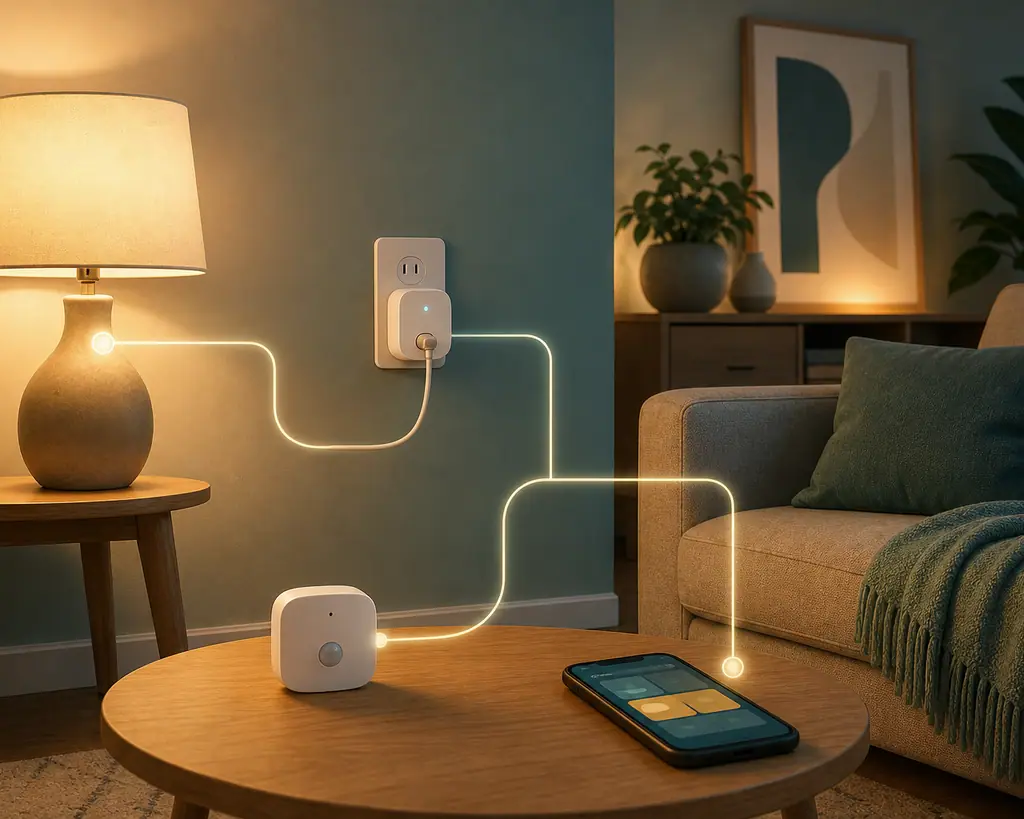
If the routine uses one Wi-Fi device and one app, no separate hub may be needed. A Wi-Fi smart plug, bulb, or basic camera often connects directly to your router and the manufacturer's app. The tradeoff is that too many Wi-Fi devices can clutter apps and rely heavily on the router and cloud service.
When no hub is often enough
No hub is often enough when you want one or two simple Wi-Fi devices, you are comfortable using the manufacturer's app, and the routine is low-risk. A single smart plug for a lamp, a Wi-Fi bulb in a rental, or a basic app schedule can be a reasonable first step.
When a hub starts to make sense
A hub starts to make sense when you want battery sensors, local-feeling routines, multiple device types, better coverage for mesh devices, or support for protocols your Wi-Fi router does not handle by itself. It also helps when you want fewer separate apps and a more consistent place to manage routines.
What to Check First for Smart Home Hub or No Hub
The first check is the protocol. Wi-Fi devices usually connect to your home router. Thread devices need a Thread border router for outside connectivity and control. Zigbee and Z-Wave devices usually need a compatible hub or bridge. Brand-specific systems may need the brand's own bridge even when they also work with a broader platform.
The Thread Group explains that Thread border routers connect a Thread network to Wi-Fi, Ethernet, and the internet, enabling communication with mobile apps and cloud services. Its smart-home overview also notes that at least one Thread border router is required to connect a Thread network to the outside world.
The second check is whether your home already owns a hub-like device. Some smart speakers, displays, routers, set-top boxes, and bridges can act as Matter controllers, Thread border routers, or ecosystem hubs. You may already have the function you need, even if the box is not labeled simply as a hub.
The third check is the routine's importance. A hallway light is forgiving. A device tied to heat, refrigeration, water control, medical needs, security access, or HVAC is not a casual beginner experiment. For those, follow product manuals and get qualified help when wiring, electrical load, or system behavior is unclear.
How to Decide Step by Step
Use this simple order before buying a separate smart-home hub. It keeps the decision tied to real devices instead of smart-home vocabulary.
- Name one routine: write exactly what should happen, where it happens, and when it should happen.
- List the device type: note whether you are using a plug, bulb, sensor, thermostat, switch, lock, bridge, or other product.
- Read the connection requirement: look for Wi-Fi, Thread, Zigbee, Z-Wave, Bluetooth, Matter, bridge, hub, or controller language on the product page and manual.
- Check what you already own: see whether your speaker, display, router, or existing bridge already provides the needed controller or border-router function.
- Decide the smallest path: if one Wi-Fi device solves the routine, start without a hub. If the device requires a hub or Thread border router, plan for that before buying.
- Install one device first: test names, schedules, app control, and manual fallback before adding a second device type.
- Review after a week: keep the setup if it feels calmer. If it creates app clutter, unreliable routines, or family confusion, simplify before expanding.
No-hub setups are simple to start
A single Wi-Fi plug, bulb, or app-controlled device can teach the basics without another box, cable, or account decision.
Hubs can reduce protocol confusion
A compatible hub can bring sensors, bridges, and routines into one place when your setup grows beyond one app or one connection type.
Better fit for sensors and mesh devices
Thread, Zigbee, and other low-power devices often make more sense when the required controller or border-router function is already planned.
A hub can be unnecessary clutter
If all you need is one Wi-Fi lamp routine, a separate hub may add cost and setup steps without improving daily use.
No-hub setups can hit limits later
As you add sensors, rooms, and protocols, relying only on direct Wi-Fi devices can lead to more apps, weaker organization, and confusing compatibility checks.
Common Beginner Mistakes to Avoid
The first mistake is treating hub and no-hub as a personality choice. It is not about being advanced or minimal. It is about matching the connection method to the device and the routine.
The second mistake is missing hidden hub functions. Matter 1.4 introduced a path for Home Routers and Access Points that combine Wi-Fi access point and Thread border router functions. The CSA's Matter 1.4 announcement is a useful reminder that smart-home infrastructure can be built into devices people may already recognize, such as routers or access points, rather than always being a separate hub box.
The third mistake is assuming a hub automatically makes everything local, private, or compatible. A hub can improve organization, but each product still has its own limits. Some features remain in the manufacturer's app. Some automations rely on cloud services. Some devices require a specific bridge even when basic control works elsewhere.
A Simple Hub Decision Checklist
Use this checklist before buying the hub or skipping it. Each question should have a clear answer.
- Routine named: you know the exact daily action the device should perform.
- Protocol checked: you know whether the device uses Wi-Fi, Thread, Zigbee, Z-Wave, Bluetooth, Matter, or a brand bridge.
- Existing gear checked: you know whether a speaker, display, router, or bridge you already own can act as the needed controller.
- Manual reviewed: setup requirements, safety limits, location rules, and account needs are clear.
- No-hub path tested: if the routine is simple Wi-Fi control, you can try one device before adding infrastructure.
- Hub path justified: if buying a hub, it solves a named issue such as Thread support, Zigbee support, sensor coverage, or app consolidation.
- Undo plan exists: you can remove the device, delete the routine, rename it, or return to manual control.
When to Get Extra Help
Get extra help when the hub decision touches built-in switches, wiring, HVAC, high-load devices, security access, water control, or equipment that must stay powered. A hub is a connection tool, not permission to automate risky equipment.
Also ask for help when product labels conflict. If one page says Matter, another says hub required, and the manual says a bridge is needed for your platform, pause and contact product support. The calm choice is to resolve the requirement before buying more gear.
Frequently Asked Questions
What should I check first when deciding on a smart home hub or no hub?
Check the exact device's connection requirement. If it says Wi-Fi only, you may be able to start without a hub. If it says Thread, Zigbee, Z-Wave, bridge, hub, or controller required, plan for that before buying.
How often should I review my hub decision?
Review it whenever you add a new device type, move to a new platform, change routers, or add sensors in more rooms. A no-hub setup can be fine for months, then need structure as the home grows.
What should I do if I am not sure whether I already have a hub?
Look up the exact model of your smart speaker, display, router, or bridge and check its official specs. Search for terms like Matter controller, Thread border router, Zigbee hub, or bridge support.
Can I start without a hub and add one later?
Yes. Many beginners start with one Wi-Fi device and add a hub later only when sensors, Thread devices, or multi-room routines make it useful. Keep names and routines simple so migration is easier.
Final Thoughts
The smart home hub or no hub decision should come after the routine, not before it. If one Wi-Fi device solves the job cleanly, starting without a hub is reasonable. If your device needs Thread, Zigbee, a bridge, or better routine organization, a hub can be the simpler path.
Choose the smallest setup that solves today's problem, check the official requirements, and test one routine for a normal week. A calm smart home grows from useful decisions, not from buying infrastructure before you know what it needs to do.