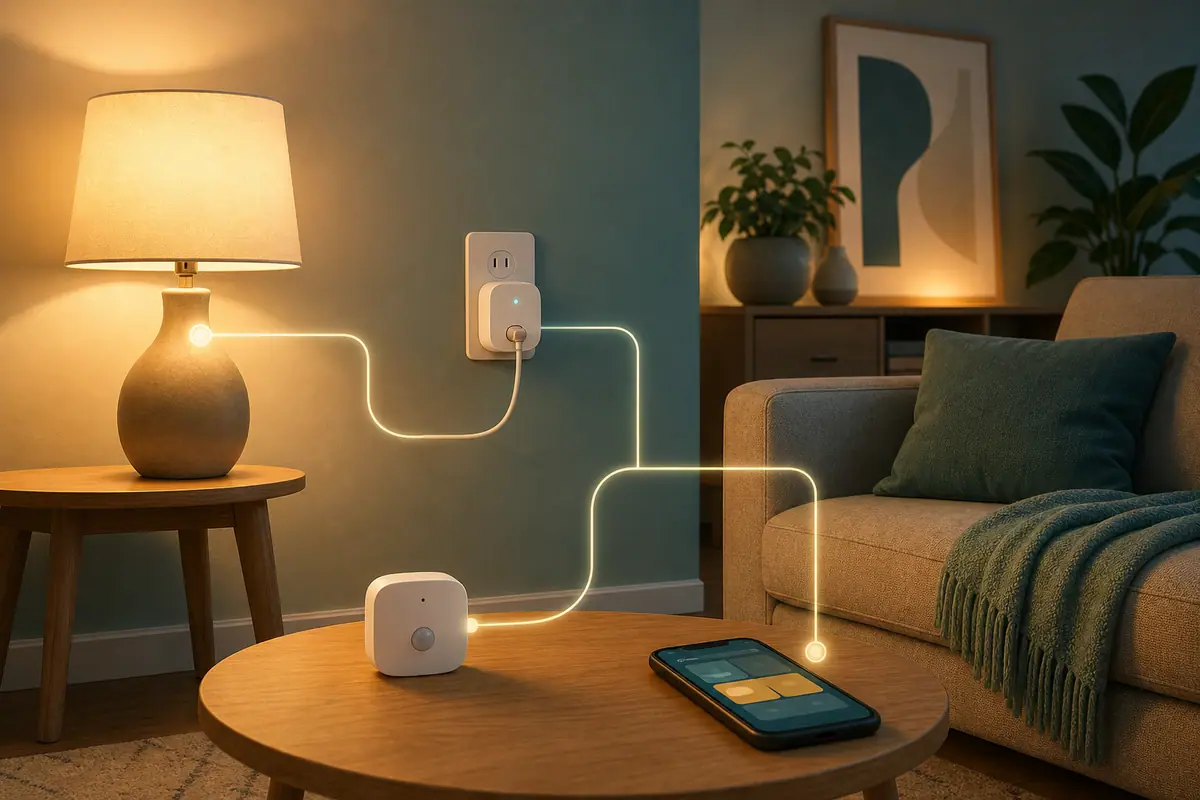
Matter explained for smart home beginners starts with a simple promise: devices from different brands should be easier to connect and control together. That sounds technical, but the beginner version is calmer. Matter is a compatibility label to look for when you want a smart bulb, plug, sensor, lock, or other device to work with a major smart-home system without as much brand-by-brand guesswork.
It does not make every old device compatible. It does not remove the need for Wi-Fi, Thread, a hub, a phone app, or product instructions. It simply gives you a better starting point when you are trying to build one useful routine without filling the house with confusing apps.
Why Matter Explained for Smart Home Beginners Matters
Smart-home shopping can feel messy because each box may mention a different app, assistant, hub, bridge, wireless protocol, or logo. Beginners often want one normal outcome: a lamp turns on, a sensor reports motion, or a plug follows a schedule. Matter matters because it tries to make those basic choices less dependent on one brand.
The Connectivity Standards Alliance describes Matter as a unifying IP-based connectivity protocol for smart-home and IoT ecosystems. In practical terms, that means Matter-certified devices are built around a shared standard so supported products can work across compatible platforms more predictably.
That does not mean every setup is automatic. You still need the right device type, a compatible controller, a reliable network, and a household routine that makes sense. The calmer goal is not to buy everything with a Matter logo. The goal is to understand when the logo helps and when ordinary setup details still matter more.
Start With Beginner Smart Home Setup Basics
Before choosing a Matter device, decide what the device should do in daily life. A smart plug that turns off a desk lamp after work is easier to judge than a vague plan to modernize the whole home. One clear routine gives you a way to test whether the setup is useful.
For many beginners, the best first Matter-friendly choices are low-risk devices such as bulbs, plugs used within their ratings, simple sensors, or buttons. Avoid starting with anything tied to heat, medical needs, refrigeration, pumps, security access, or equipment that must stay powered unless the product manual and a qualified professional confirm the setup is appropriate.
Think in routines, not product logos
A Matter logo can help with compatibility, but it cannot decide whether a routine is useful. Start with a normal moment: evening reading, entry lighting, a desk shutdown, a hallway notification, or a simple away-from-home check. Then choose the device that supports that moment with the fewest moving parts.
Keep the first system small
If you buy five device types at once, it becomes hard to know what is causing a problem. Start with one device, one app or platform, and one routine. After a week, you can decide whether Matter made the setup easier enough to repeat.
What to Check First for Matter Explained for Smart Home Beginners
The first check is the device type. Matter support varies by category and by product. A Matter label on one brand's bulb does not guarantee that every feature from the manufacturer's own app will appear in every smart-home platform. Basic control may work, while advanced scenes, effects, or energy details may stay inside the original app.
The second check is the controller. Matter devices need a compatible platform or controller, such as a supported smart speaker, hub, phone ecosystem, or app. Some devices connect over Wi-Fi. Some use Thread and may need a Thread border router. The box, product page, and manual should say what is required.
The third check is the ordinary home setup. Wi-Fi coverage, device placement, outlet access, and clear names still matter. A compatible device hidden behind a heavy couch or named Lamp 4 may still be annoying to use.
How to Handle Matter Explained for Smart Home Beginners Step by Step
Use this simple order before buying or adding a Matter device. It keeps the decision practical and gives you a stopping point if anything is unclear.
- Name one routine: write a plain sentence such as the entry lamp should turn on at sunset or the hallway sensor should trigger soft light at night.
- Pick a low-risk device: choose a lamp, bulb, plug within its rating, button, or simple sensor before experimenting with critical equipment.
- Check the Matter label carefully: confirm the exact product, not just the product family, supports Matter.
- Read the setup requirements: look for Wi-Fi, Thread, hub, bridge, controller, app, account, and platform notes.
- Confirm your platform: make sure your preferred app or assistant actually supports the device category you plan to add.
- Install one device first: complete setup, name it clearly, and test basic on/off, schedule, or notification behavior.
- Watch normal use for a week: keep it if it helps, simplify it if it annoys people, and remove it if it creates more app work than value.
Less brand guessing
Matter can make it easier to shop across compatible ecosystems instead of choosing only one manufacturer's devices.
Better first-routine planning
The label gives beginners a useful compatibility checkpoint before they commit to an app, hub, or platform.
Good fit for simple controls
Basic routines like lights, plugs, and sensors are easier to evaluate when the expected action is clear and limited.
Not every feature carries over
Some advanced options may work only in the manufacturer's own app, even when basic Matter control works elsewhere.
Still needs setup checks
Wi-Fi, Thread, hubs, controllers, ratings, and product instructions still decide whether the device will work well in your home.
Common Beginner Smart Home Setup Mistakes to Avoid
The first mistake is treating Matter as a magic translator for every smart device. It is better to check the exact model and category than to assume all products from a brand behave the same way.
The second mistake is skipping the controller question. A Thread-based Matter device may not behave like a simple Wi-Fi device. If your home does not have the required controller or border router, setup may be confusing before you even reach the routine.
The third mistake is mixing compatibility with energy savings. A smart-home routine can help you avoid leaving things on, but savings depend on the device, schedule, household behavior, and local rates. ENERGY STAR's smart home tips frame smart-home energy management around practical controls such as thermostats, lighting, and plug-load monitoring rather than automatic savings from buying any one gadget.
A Simple Matter Checklist
Use this checklist before you buy or connect the first Matter device. Each item should have a clear answer.
- Routine named: the device solves one daily problem you can describe in one sentence.
- Exact model checked: the product listing or box confirms Matter support for that model.
- Device category supported: your chosen platform supports that type of Matter device.
- Controller confirmed: you know whether you need Wi-Fi only, Thread, a hub, a bridge, or a border router.
- Manual reviewed: ratings, location limits, warnings, and setup steps are clear.
- Name is simple: the device name matches how people naturally talk about it.
- Routine is reversible: you can turn it off, delete it, or return to manual control without confusion.
When to Get Extra Help
Get extra help when the setup touches wiring, panels, built-in switches, HVAC, high-load appliances, security access, water control, medical equipment, or anything that must remain powered. Matter does not turn those into beginner projects.
Also ask for help if the product page, box, and app disagree. That mismatch is a reason to pause, not a reason to guess. Manufacturer support, official platform help pages, and a qualified professional are better sources than trial-and-error when safety or compatibility is unclear.
Frequently Asked Questions
What should I check first with Matter?
Check the exact product model, the device category, and the controller requirements. A Matter logo is helpful, but the setup details still decide whether it fits your home.
Do I need a hub for Matter devices?
Sometimes. Some Matter devices use Wi-Fi, while others use Thread and may need a compatible border router or controller. Read the product requirements before buying.
Will Matter make all features work in every app?
Not always. Basic controls may work across platforms, while special effects, detailed settings, or energy reports may stay in the manufacturer's app.
Can I undo a Matter setup later?
Yes. You can remove the device from an app, rename it, delete automations, or return to manual control. Keep the first routine simple so undoing it is easy.
Final Thoughts
Matter explained for smart home beginners should feel practical, not intimidating. Think of Matter as a compatibility clue that can make shopping and setup simpler when the device, controller, platform, and routine all line up.
Start with one low-risk device, check the exact requirements, test one routine, and review it after a normal week. If it makes the home calmer, expand slowly. If it adds confusion, simplify before buying more.